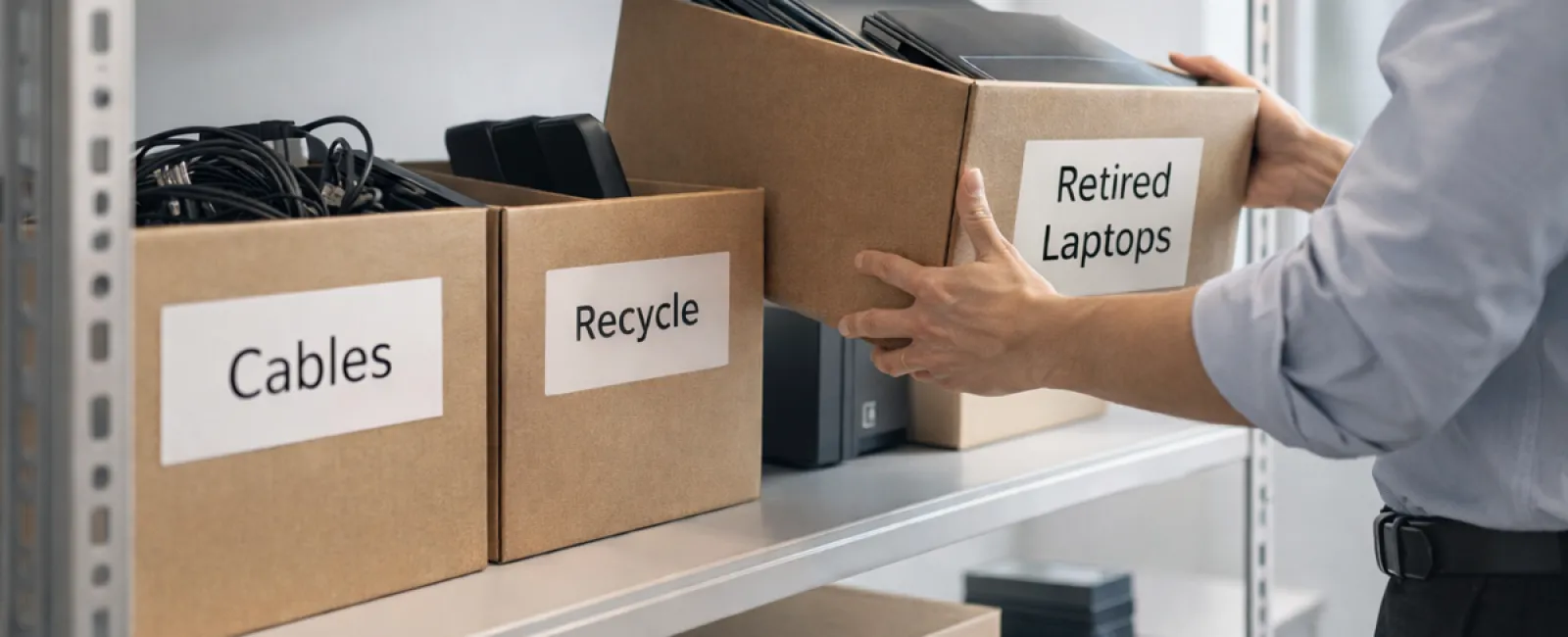
While spring cleaning often begins with closets, for businesses, the true clutter extends far beyond that.
It might be piled on a server rack, stashed in storage rooms or back offices, or even forgotten in a "we'll handle this later" heap.
Old laptops, obsolete printers, backup drives from several upgrades past, and boxes of cables saved "just in case"—every company accumulates these over time.
The key isn't if you have this tech clutter; it's having a strategic plan for managing it.
Technology Lifecycle: More Than Just a Purchase Date
New equipment usually arrives for clear reasons: improved speed, enhanced security, better capabilities, or supporting business growth.
Most companies carefully plan technology acquisitions but often overlook a strategy for retiring old gear.
Retiring equipment typically happens quietly—the device is replaced, set aside, and eventually cleared. This is common but less effective.
What's uncommon is managing technology retirement with the same care as the initial purchase.
Used devices hold value, recycled components, and potentially sensitive data. Often, unused gear just adds operational clutter and distraction.
Spring is the perfect time to pause and ask: Which technology remains useful, and which is simply wasting space?
Effective Steps to Refresh Your Tech Inventory
Make your tech cleanup more than talk by following our straightforward four-step method.
Step 1: Conduct a Tech Inventory
Identify exactly what equipment is being phased out—laptops, phones, printers, network gear, external drives. You can't manage what you haven't inventoried, and a quick walkthrough usually uncovers more than expected.
Step 2: Determine Device Disposition
Each device should be intentionally categorized for reuse (in-house or donation), certified recycling, or secure destruction when data sensitivity demands it. Avoid letting equipment drift endlessly into storage limbo.
Step 3: Prepare Devices Correctly
Discipline during this phase is crucial.
For reuse or donation, remove devices from management systems, revoke user permissions, and employ certified data wiping—not just a factory reset—since deleted files can often be recovered.
Research by Blancco shows 42% of resold drives still held sensitive data despite claims otherwise. Certified data erasure tools overwrite all sectors and provide verification reports.
If recycling, use certified e-waste providers tailored for businesses—not household programs like Best Buy's, which don't accept commercial electronics.
Look for IT asset disposition (ITAD) providers with e-Stewards or R2 certification. Your IT service partner can assist in coordinating this.
If destruction is required, opt for certified wiping or physical drive destruction techniques (shredding or degaussing), and keep detailed records of device serials, destruction methods, dates, and handlers.
This thorough approach ensures security and accountability—not paranoia.
Step 4: Document and Finalize
Keep detailed documentation of where equipment goes, how it's processed, and that access has been fully revoked, eliminating any residual concerns.
Often Overlooked Devices
Laptops get attention; other devices sometimes escape notice.
Phones and Tablets can harbor email access, contacts, and authentication apps. Business-owned devices benefit from certified mobile wipe tools beyond factory resets. Major manufacturers offer trade-in credits, even for older models.
Modern Printers and Copiers often contain internal hard drives storing all printed, scanned, copied, or faxed data. For leased machines, obtain written confirmation that drives will be wiped or removed before redeployment.
Batteries are designated hazardous waste by the EPA. In states like California, New York, and Minnesota, businesses must not discard rechargeable batteries in regular trash. Remove batteries when possible, tape terminals to prevent shorts, and use certified drop-off locations, such as Call2Recycle.org or retailers like Staples, Home Depot, and Lowe's.
External Drives and Retired Servers often linger in closets but require the same careful retirement process as other tech assets.
Insights on Responsible Recycling
April often highlights Earth Day reminders—timely prompts for proper e-waste disposal.
The world produces over 62 million metric tons of electronic waste annually, yet only about 22% is recycled appropriately. Components like batteries, monitors, and circuit boards belong in certified e-waste programs offered by many communities.
Proper tech retirement is operationally efficient, environmentally responsible, and strategically smart. You don't have to sacrifice security to be sustainable—you can achieve both.
Moreover, your company's quiet commitment to responsible tech management can resonate positively on social media, impressing customers.
Unlocking Greater Potential
Spring cleaning isn't just about tossing items; it's about creating valuable space.
Removing outdated hardware is one step, but this pause invites a broader question: Does your current technology truly support your business vision?
While hardware comes and goes, software, automation, systems, and process design drive lasting productivity and profitability.
Properly retiring old tech is good housekeeping; ensuring your tech ecosystem aligns with your goals propels your business forward.
How We Support You
If you already have an effective equipment retirement process, that's fantastic—this should feel straightforward and seamless.
Meanwhile, as you consider replacing hardware responsibly, it's an ideal opportunity to evaluate your broader technology systems—are they integrated, efficient, and growth-enabling or simply keeping your lights on?
We invite you to explore how your tech stack, systems, and workflows boost productivity and profits through a no-pressure conversation.
No checklists. No sales pitch. Just practical advice on making technology truly work for your business.
Click here or give us a call at (925) 766-4005 to schedule your free 15-Minute Discovery Call.
If this inspired you, feel free to share it with other business owners.
Remember, spring cleaning should extend beyond closets to the vital systems powering your business.